Build around the operator’s task
Arrange process pages with reusable 2D and 3D equipment modules. Show the value, unit and state where the operator expects them.
Orenda SCADA · SCADA and HMI software
Build operator screens with Orenda SCADA Studio. Place tanks, pumps and other equipment, connect their measurements and test the screen before publishing it for your team.
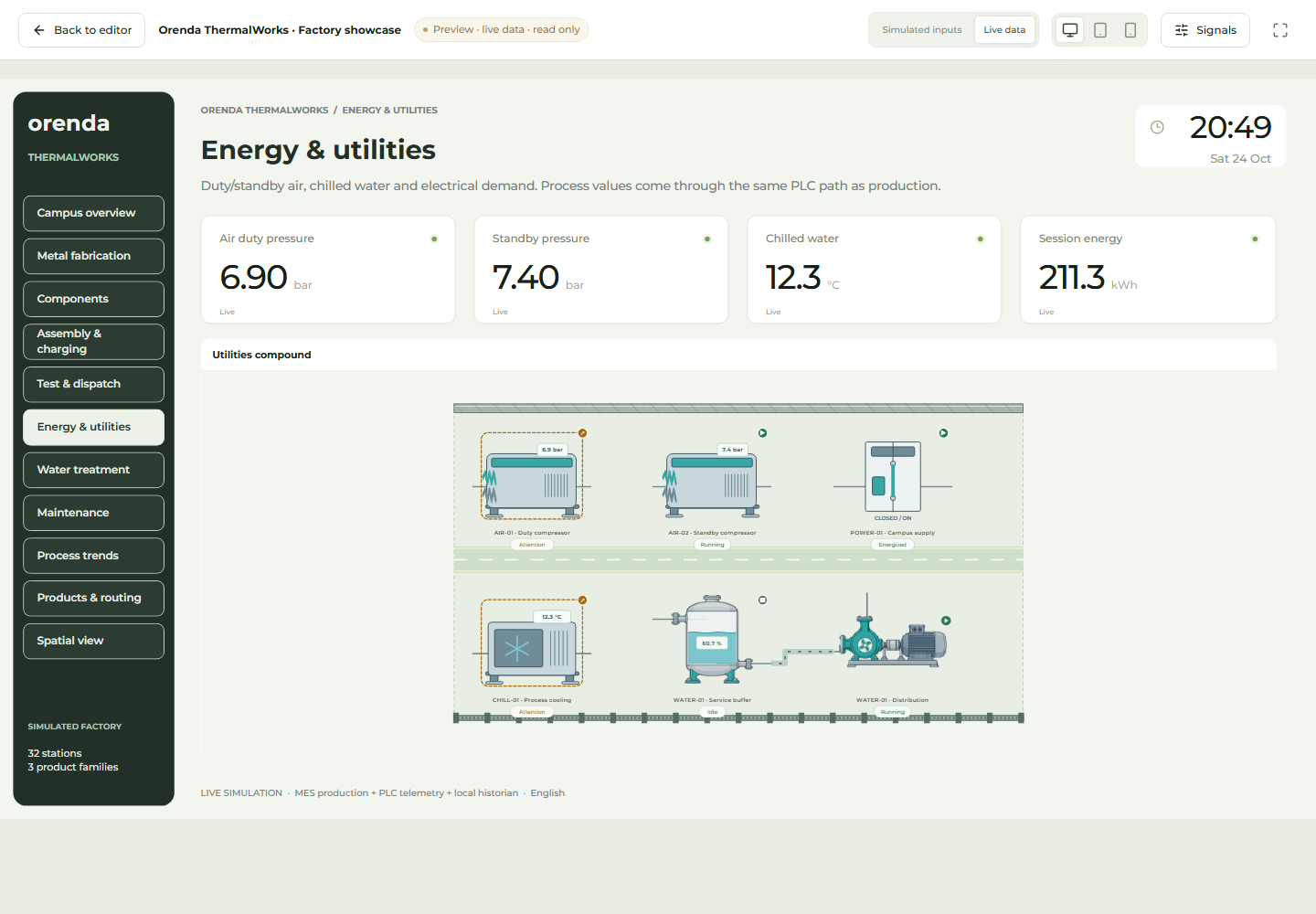
Orenda SCADA is a supervisory control and data acquisition application for process visualization and human-machine interface (HMI) design on Orenda Box. Studio connects equipment drawings to process values and trends. Operators can view published screens and use controls that their administrator has enabled for them.
Arrange process pages with reusable 2D and 3D equipment modules. Show the value, unit and state where the operator expects them.
Preview the page with simulated or live data. Check missing and stale signals. Keep editing a draft while the published version stays available.
Open the selected version in an authorized browser or on the Box’s read-only HDMI display. Use the AI assistant to help prepare and review design changes.
For an illustrative tank and pump, the overview can show tank level, pump state and line pressure together. If the level rises slowly, the operator can open the pressure trend and examine the relevant equipment. Frequently used information stays on the overview; investigation details belong on linked pages.
Units and data freshness help the operator interpret each value. Configured browser commands require permission, a writable data point, value bounds, a fresh valid reading and confirmation. Machine logic and protection remain in the machine’s control system.
Studio separates the editable draft from the published version. Preview a change, test its data bindings and publish the reviewed result. AI can help prepare design changes; applying them and publishing the operator view are explicit steps. The assistant does not send PLC commands.
Design packages let teams reuse pages and equipment modules. Map the destination data sources, units and permissions before publishing the design on another machine.
Choose one process and the operator’s main task.
Bind approved tags and check units, scaling and data age.
Test navigation, trends and any permitted browser controls.
Publish the reviewed version and choose the display.
SCADA Studio runs on the Box and uses approved data sources. Browser commands need operator permission, writable tags, value bounds, fresh readings and confirmation. HDMI is read-only. Studio evaluates observed alarms while a viewer runs; continuous alarms stay with the PLC or configured host alarm service. AI design assistance requires the approved Orenda AI Agent and a configured inference service.
No. The PLC runs machine logic and interlocks. SCADA supplies the supervisory view and configured operator actions. Machine protection remains in its engineered control system.
You can reuse pages and modules through design packages. Check the destination data sources, units, permissions and screen behavior before publishing.
The assistant helps prepare design changes for review. It does not send PLC commands. Applying a draft and publishing the operator view remain explicit steps.
A process sketch, a tag list and the operator’s task give us a practical starting point.
Plan a SCADA demo