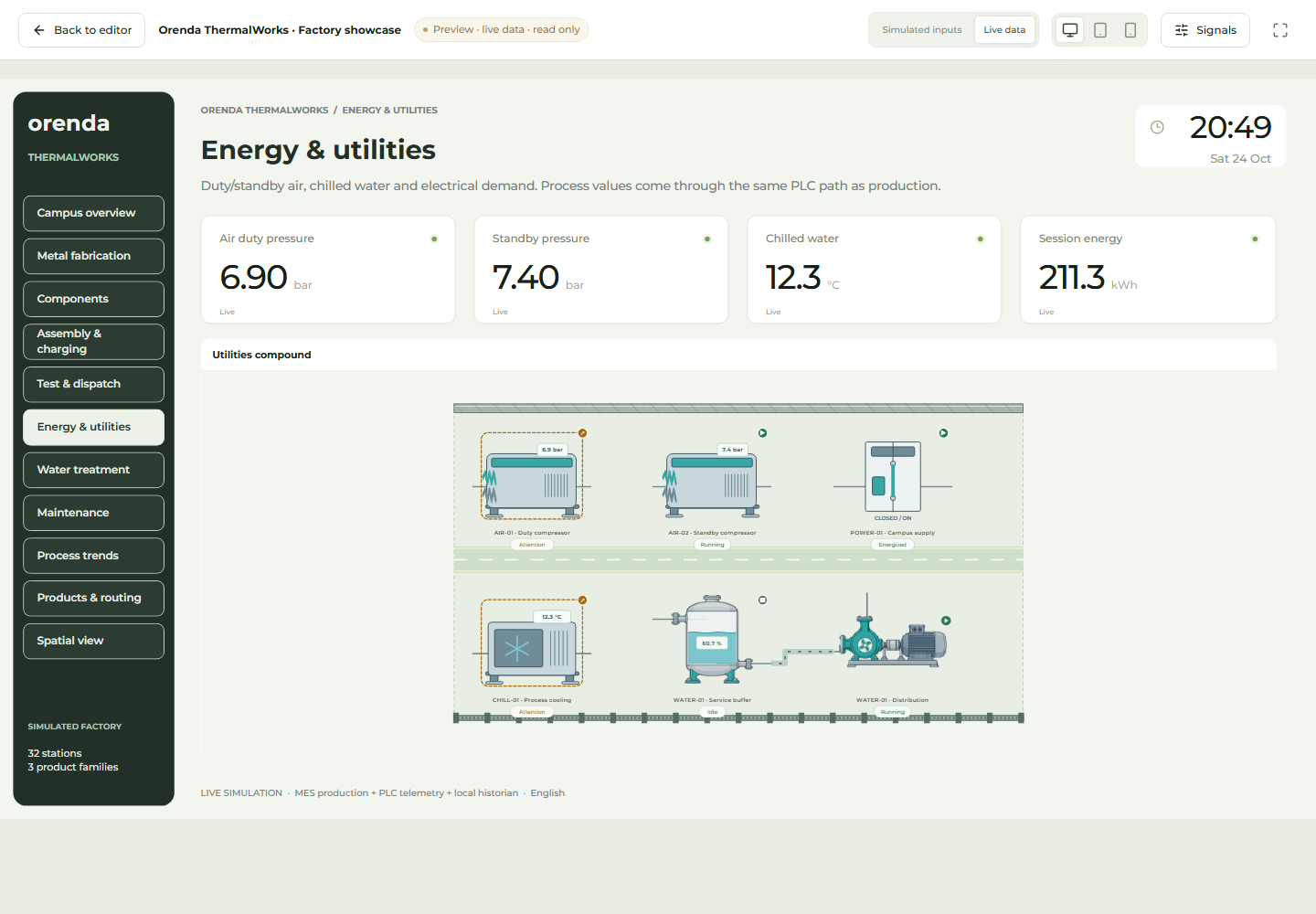
Give the operator one clear view of the tank and filling line.

Bring temperature, level and mixer state together. Use SCADA to understand the process and MES to follow the production job.

Keep the process visible through each batch

Reading a value is only part of the operator’s work. They need to know which equipment it belongs to, whether it is current and what the rest of the process is doing. SCADA Studio pages can be organized around the actual vessels, mixers and filling equipment.

Actual Orenda application with simulated production data
Actual Orenda interface · Simulated data

Design around the operator task, not the tag list

Place a vessel’s level, temperature and mixer state together. In Studio, placements of the same module share equipment and data bindings. To use the design for another vessel, duplicate the module and connect the copied inputs to that vessel’s sources.

Show the unit and freshness of the value. If communication stops, the last temperature should not look like a new measurement. Test missing and stale data in the draft before publishing the reviewed screen.

Read process changes with the production record

SCADA trends show when a connected value or equipment state changed. MES records the product, work order, output and stops. Comparing the same equipment and period lets the team examine whether the process change coincided with lost production.

For repeated filling waits, open the relevant period and compare equipment states with the production record. The useful result connects the trend to the operator’s task and the time lost on the line.

Illustrative example: from mixing vessel to filling

Select available signals to answer the operator’s questions.

Illustrative example: from mixing vessel to filling
Operator questionInformation needed
Is the vessel ready?The configured state and relevant process values
Why is filling waiting?Filling equipment state and its change over time
Is this value current?Data time and connection state

Make the first page answer these questions clearly. Add MES when the team needs order and output tracking alongside the process view.

See the application with your team’s questions in mind.

Show us the report you use today and the part of production it does not explain. We can demonstrate the relevant screens and discuss the machine connections and modules for your setup.