MES, HMI and SCADA: from machine data to production results

Use the same machine signals to understand the process and the production job. Keep the operator view, work record and machine control clearly defined.

Define the role of HMI, SCADA and MES

The HMI helps an operator use the machine. SCADA shows process values, equipment states and trends. MES connects production to products, work orders, counts and downtime reasons. Orenda MES and SCADA run as local applications and can use approved machine data from the Box.

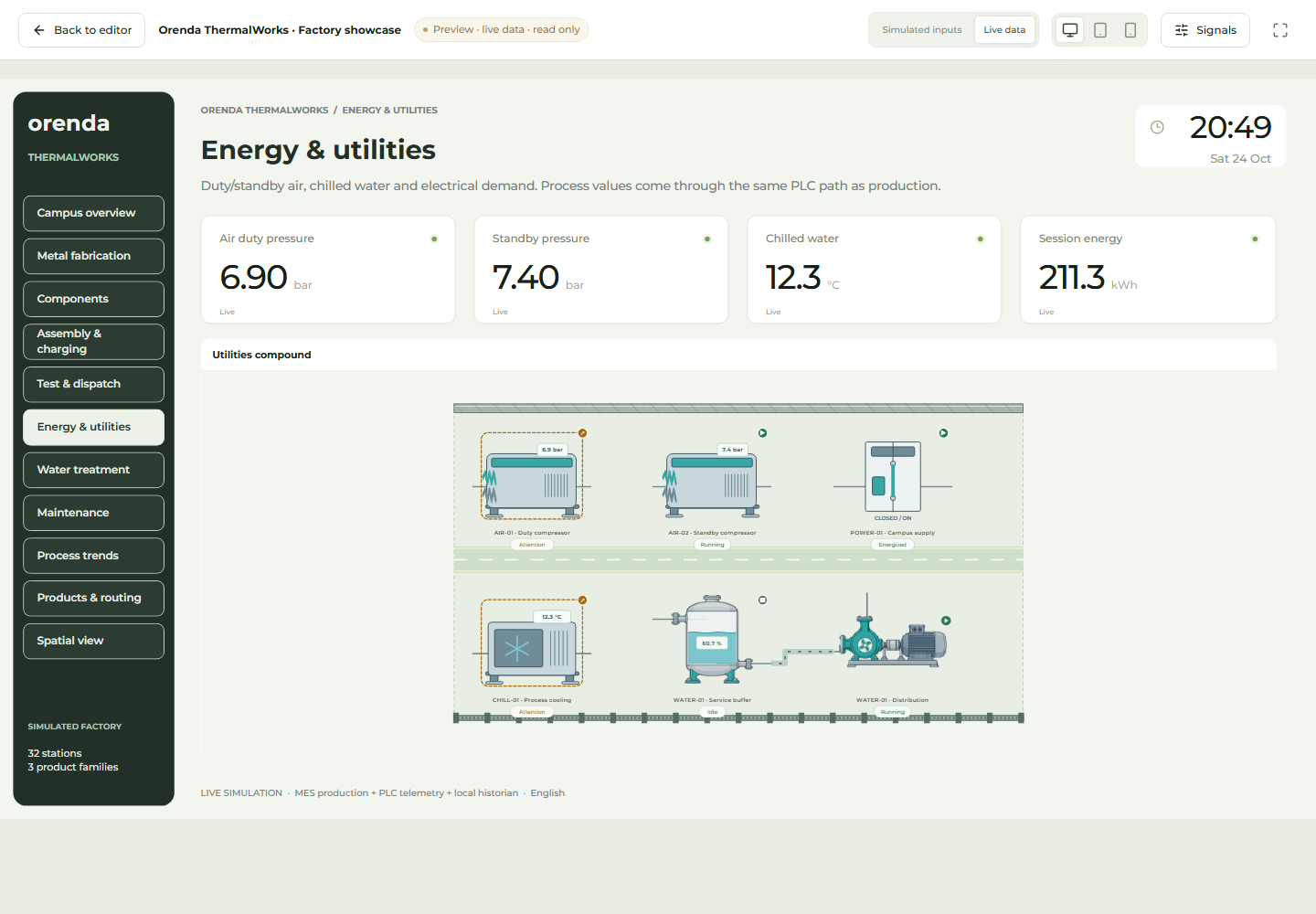
Orenda SCADA process view with simulated factory data

Orenda SCADA demonstration · Simulated process data

See the process event and its production effect together

In an illustrative compressed-air stoppage, SCADA shows the pressure change and equipment state. MES associates the stop with the product and work order running at that time. The team can examine both the process event and the production time lost.

The operator checks and records the reason. A pressure drop alone does not establish the underlying fault. Maintenance uses the measurements and field observations, while the shift lead reviews the effect on the job.

Check the records through transitions as well as normal production

A counter may reset at a product change. A lost connection may leave the last value on screen. Define these cases during setup, including data freshness, timestamps, count units and the event that marks a stop.

The PLC continues to run machine logic and interlocks, and the existing HMI can retain its role. Orenda MES and SCADA use verified data interfaces for production tracking and process visualization. They can share approved sources without requiring a direct SCADA-to-MES connection for every task.

Keep each responsibility clear

HMI: the operator’s task

Give the operator the values and permitted actions needed for the job. Keep machine logic and interlocks in the PLC.

SCADA: the process view

Show the equipment, values and trends that explain current conditions. Make stale and missing data visible.

MES: the production record

Attach the order, product and shift to the run. Record the quantities, stop reasons and quality results that explain the outcome.

Agree the data before connecting the screens

A signal name is not enough. Agree the machine identifier, unit, timestamp, counter reset and source of each record. The two applications can share approved sources; a direct SCADA-to-MES connector is not required for every workflow.

  1. Define the machine states, counters and measurements each team needs.
  2. Confirm units, timestamps, counter resets and what happens when data is unavailable.
  3. Map the run and work order in MES; bind the process values in SCADA.
  4. Test a normal run, a stop, a counter reset and a lost connection.

Follow one production stop

See the signal

SCADA shows a pressure change or equipment state. The observed event provides a time and process context.

Record the reason

MES records the stop against the active production run. The operator confirms the cause; an alarm alone does not prove it.

Choose the follow-up

Review the production loss. Use a maintenance investigation or AI report when the selected records can answer the next question.

MES and SCADA integration questions

Do we need both products from day one?

Use MES when the team needs work order progress, production quantities and downtime records. Use SCADA when operators need equipment states, process values and trends on a shared screen. The two can be used together or introduced separately around those needs.

Can we keep an existing HMI or SCADA?

Existing machine controls can remain. Review the available data interface and permissions before defining a shared workflow. A third-party connection needs its own compatibility check.

Connect the operator's screen with the production team's records.

We’ll review the process values, work orders and existing screens, then define which information MES and SCADA should each use.

Discuss MES and SCADA