Choose where to start
Review machines that need action, inspection or observation. Filter by the assigned person and due date to see overdue checks and plan the team’s work.
Orenda Predictive Maintenance · Machine measurements, inspections and maintenance
Compare measurements with maintenance history and machine manuals. Investigate a change, assign an inspection and record what the technician found and repaired.
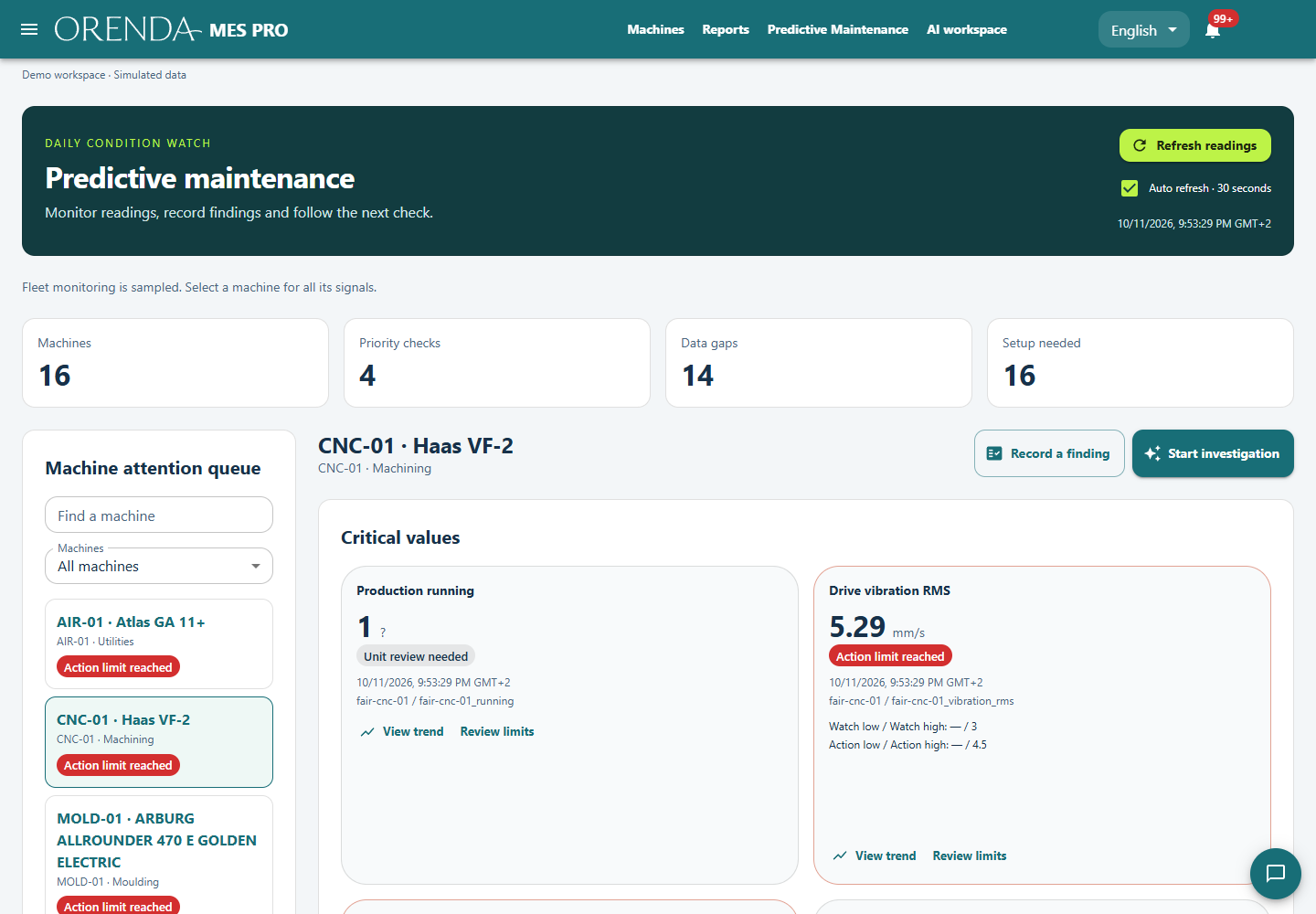
Orenda Predictive Maintenance helps teams investigate changes in machine measurements and plan maintenance. A priority board shows machines that need a check. Each investigation keeps measurements, service records and manual passages together, with assigned inspections, linked work orders and checks after the repair.
Review machines that need action, inspection or observation. Filter by the assigned person and due date to see overdue checks and plan the team’s work.
Compare suitable operating periods. Read the measurements, maintenance records and manual passages that support the finding.
Keep inspection notes, work orders and open questions with the investigation. Check comparable operating data after the work.
Suppose a motor’s recorded temperature rises. This is an illustrative example: the team first checks whether operating duration, load or other available conditions changed. Measurements, production history, service records and relevant manual passages help define the next inspection.
The saved investigation retains the supporting records and open questions. A technician taking over can see what is being examined and whether the next task is to inspect cooling, check connections or collect another measurement.
Closing a work order records completion of the job. The investigation continues with the maintenance result and suitable operating data. If a cooling passage was cleaned, compare temperatures under similar conditions rather than relying on one reading at a lower load.
The team can close the follow-up, continue observation or plan another check. Owners and dates keep that work visible. Machine history then records why work was done, what changed and what the team observed afterward.
Choose a machine and confirm the available signals.
Investigate a change with the relevant records and documents.
Assign an inspection or link the maintenance work order.
Record the work and verify the result under comparable conditions.
The workflow uses Orenda MES and the AI Agent on a compatible Box, with administrator-approved sources. Records and document indexing stay local; AI interpretation uses the configured hosted service and usage allowances. The setup depends on useful measurements and retained history.
The product helps investigate changes and plan checks from available evidence. It does not provide a validated remaining-life countdown. Start with a specific component, useful signals and a reviewable maintenance question.
Preventive maintenance schedules work by date or usage. Predictive Maintenance adds investigation of machine behavior and evidence. The resulting work can be tracked in the maintenance workflow.
Bring the symptoms, available measurements and service history. We’ll agree what a useful first investigation should answer.
Plan a maintenance demo