Local network
Orenda Box Edge
For installations using the site’s internet connection.
- Full Orenda Box platform
- MES Lite for basic production tracking
- Local database and machine history
- PLC data collection, local apps, and SDK
Connect your PLC, follow production, and run MES, SCADA, and Predictive Maintenance beside the machine. Give your team the same view locally and remotely.
Orenda Box is an industrial edge computer installed near a machine or production line. It collects the PLC values you choose, stores history on site, and runs applications your team can use every day. Operators record production, maintenance teams investigate changes, and authorized service engineers can open the right tools remotely.
Machine support layer: Use one repeatable setup for customer machines, local apps, access, and updates.
PLC stays in control: Orenda Box reads and organizes data; it does not take over machine logic.
Works close to production: Data and apps run locally at the site.
Approved app access: Only approved users can open the apps assigned to them.
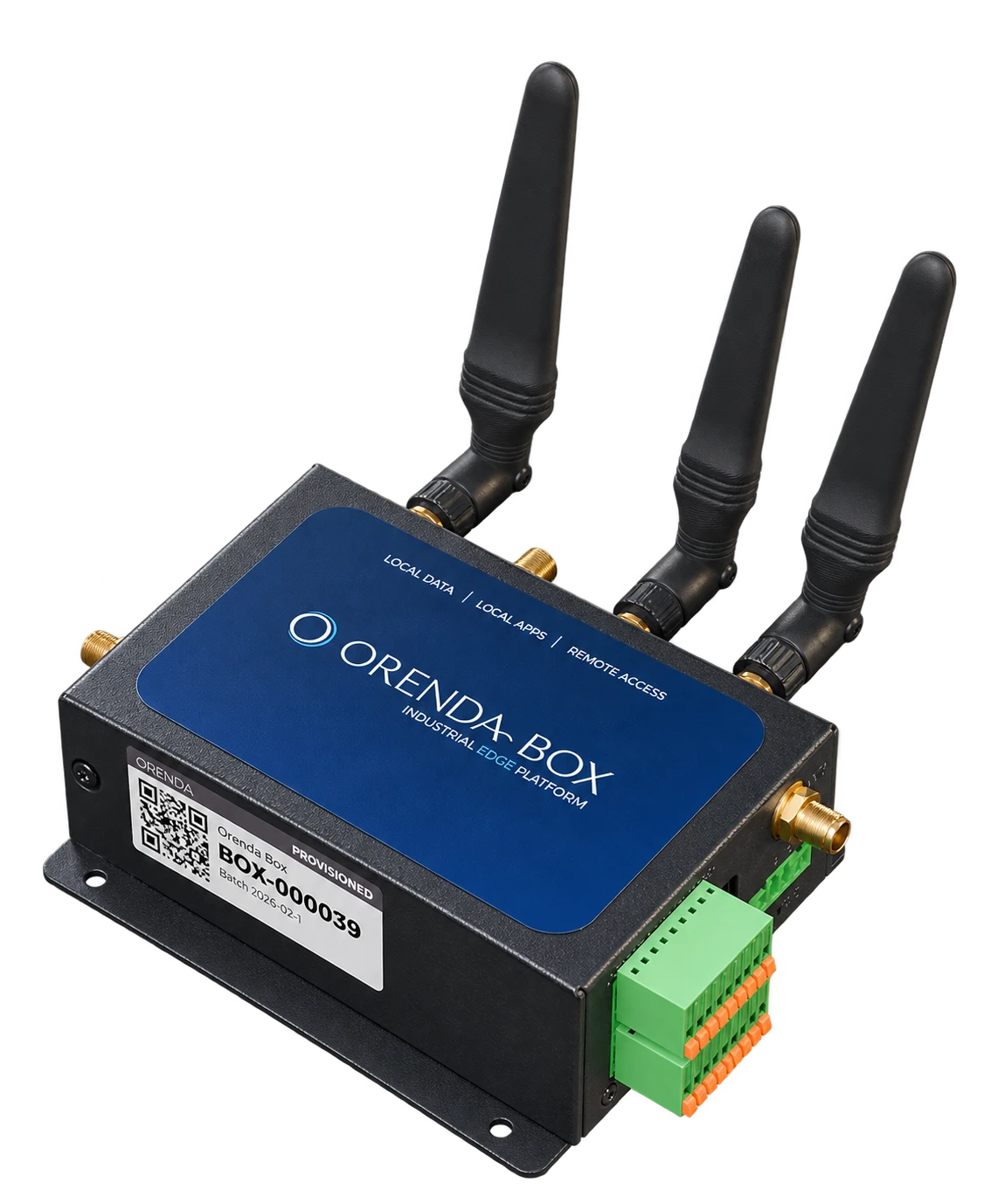
Orenda Box
Orenda Box adds machine data and local applications to your remote connection. Choose the connection option, then scope the applications and installation.
Local network
For installations using the site’s internet connection.
Cellular connection
The same full platform, with a cellular connection for sites that need it.
Coming soon
A new option in the Orenda Box family.
Box hardware and deployment are quoted for your project. The Connect subscription prices cover the remote access subscription.
Product demo · 1:41
In this product demonstration, a tortilla line stops in Hamburg. A machine builder checks production data remotely, investigates what changed, and gives an engineer access to the needed applications.
Orenda Box brings the main tools for setup, production visibility, decision support, and service into one edge platform.
See services, network status, installed apps, updates, and diagnostics.
Let approved users or service partners reach only the apps they need.
Define PLC devices and the values that local apps, screens, reports, or alarms should use.
Run production workflows such as operator panels, reports, planning, quality, maintenance, and inventory when the project needs them.
Investigate machine changes using authorized measurements, production records, maintenance history, and manuals. Save findings and reports for the next service decision.
Build live screens and alarms from machine data.
Install or update approved apps without rebuilding the whole system.
Predictive Maintenance
Choose a machine and a question. The AI workspace gathers the permitted records and document passages, compares the relevant periods, and produces findings with their sources. Reopen an investigation later, schedule a follow-up, or export an HTML or PDF report.
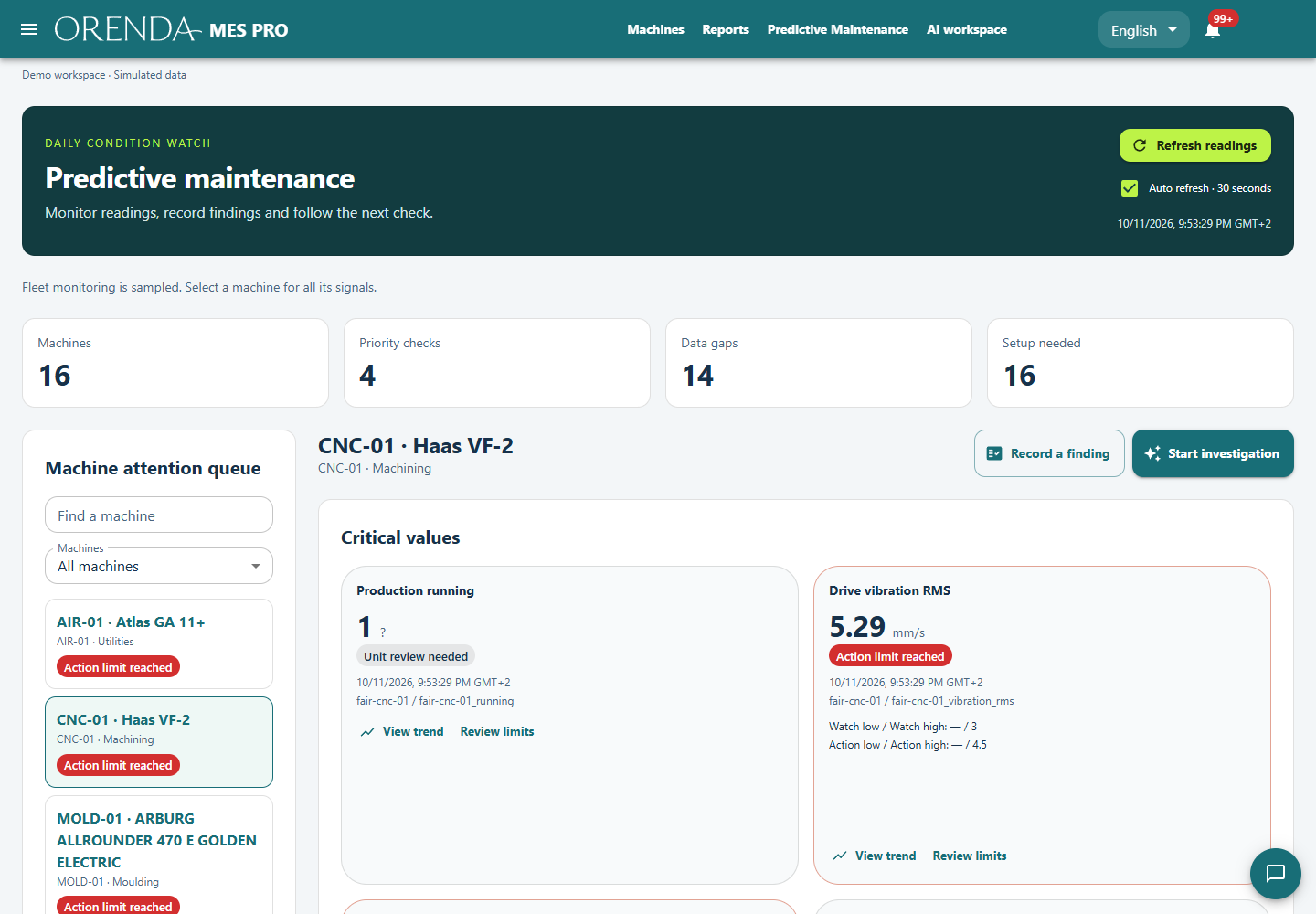
Keep manuals with the right machine, search their contents, and review the passages used in an investigation.
Connect the change in a measurement to production runs, downtime, and recorded maintenance work.
Review the finding, open the supporting evidence, and follow the proposed check through your maintenance workflow.
Original documents and machine records stay on the Box. Hosted analysis uses selected measurements and excerpts through the configured inference service. Access follows the machine and data permissions approved for the installation.
Screens from the Orenda Box guide. The Predictive Maintenance demonstration above uses simulated machine data.
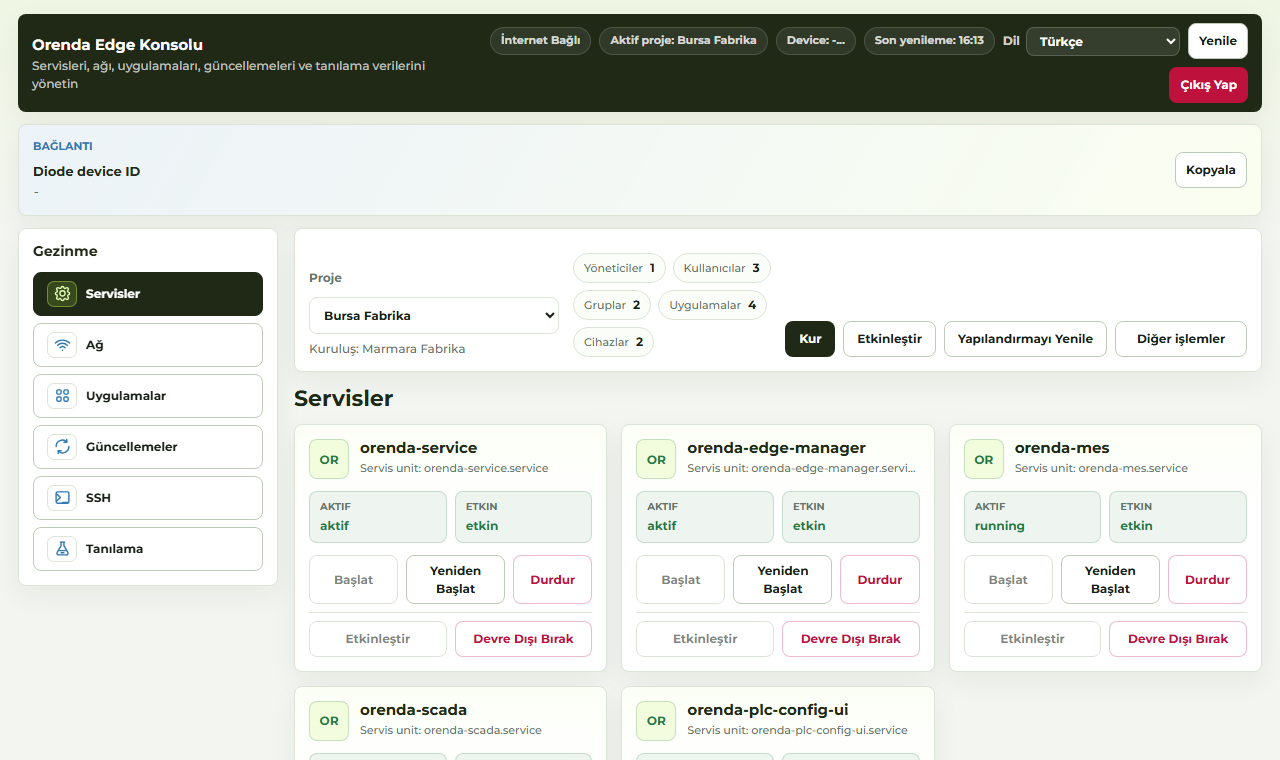
Check local services, installed apps, updates, and device health.
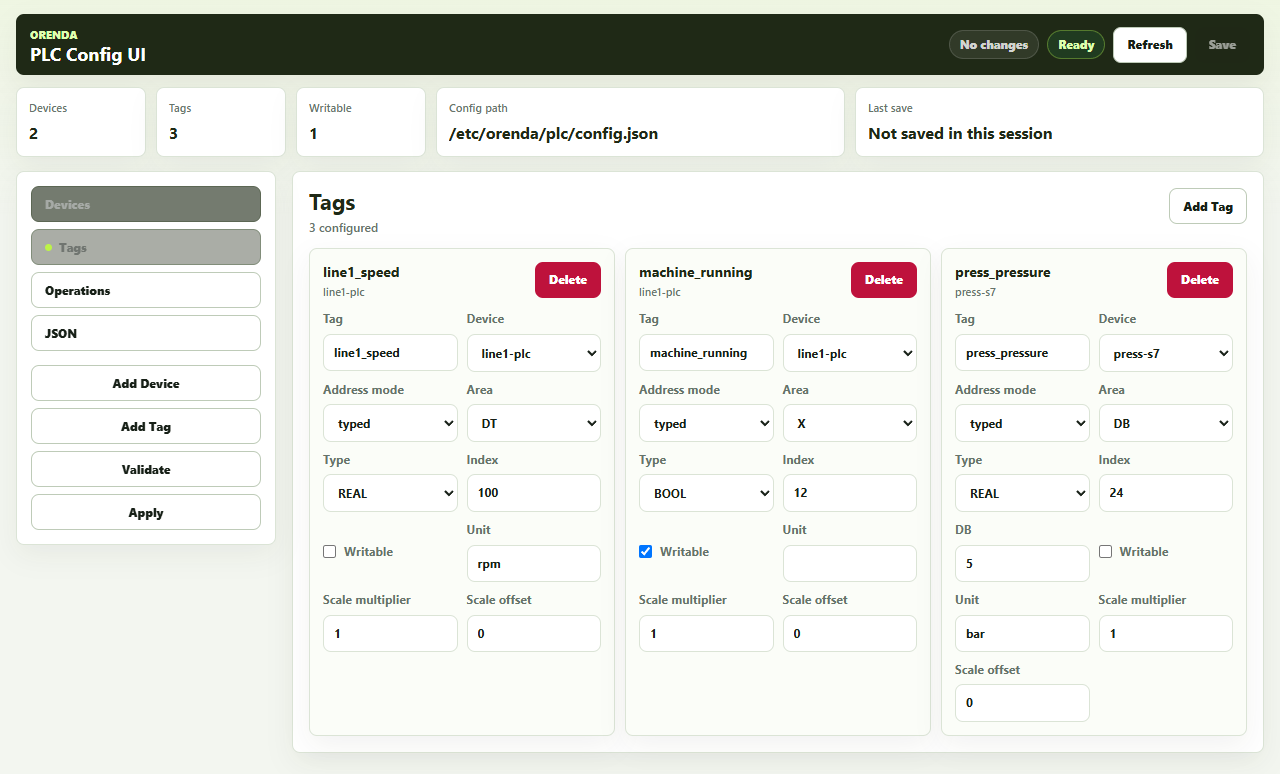
Define the machine values that MES, SCADA, reports, alarms, and support workflows will use.
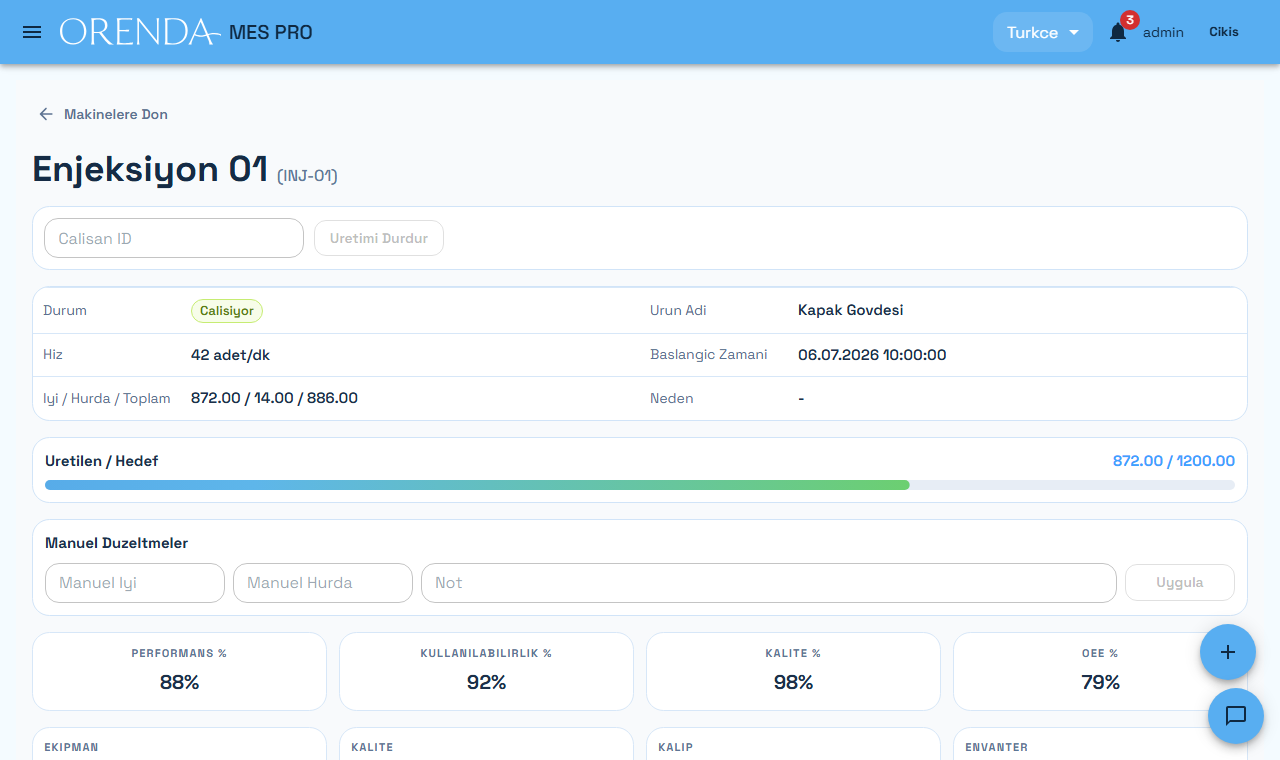
Run daily workflows such as work order selection, production start, downtime, and scrap entry when those modules are part of the project.
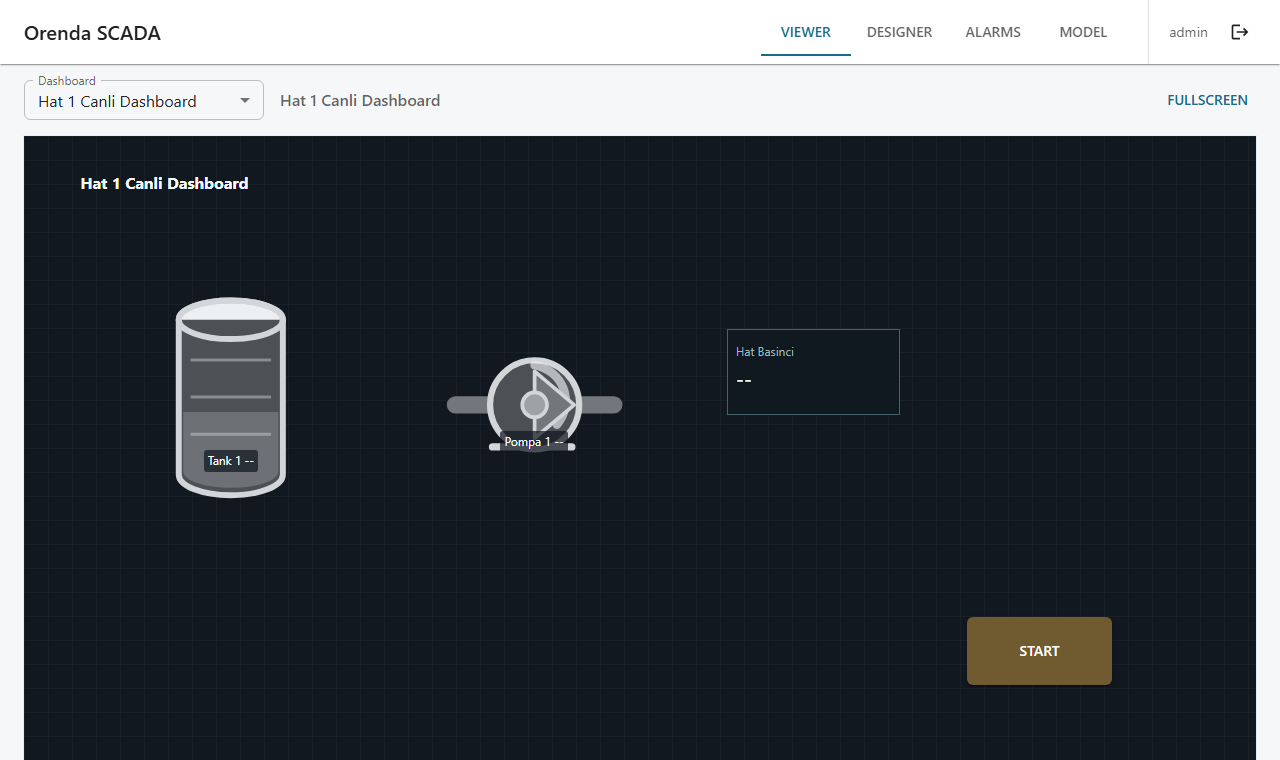
Display live machine values, screens, and alarms from local data.
Begin with one machine, one line, or one monitoring need, then expand when the value is clear.
Machine builders can see status, alarms, counters, and recent events before deciding whether a technician must visit.
Monitoring, SCADA, production screens, PLC configuration, and diagnostics run near the equipment and can be used by local teams.
Use AI to investigate changing measurements, compare production periods, and read technical documents in context. Save the findings and plan the next maintenance check.
Use target-scoped, revocable links with optional expiry for selected apps instead of broad remote access.
Use the same setup, access, app, and update process across customer sites or factory locations.
Support teams can inspect service health, network state, data collection, app state, and update readiness from Edge Manager.
The exact setup depends on the machine and project. Common examples include:
Start with a narrow use case, prove the value, then expand.
Tell us about the machine, PLC, site network, and first use case. We will help scope the right setup for your site.
Talk to us about Orenda BoxOrenda Box is an industrial edge computer for selected PLC and machine data, on-site MES and SCADA applications, diagnostics, and approved remote support. The exact controller, interface, application, site network, cabinet, power, and environmental fit must be checked for each deployment.
No. Orenda Box reads and organizes configured data and runs approved applications; the PLC and engineered safety system remain the machine-control authorities. Any process-affecting command needs its own machine-specific design, authorization, and validation.
Yes. A practical pilot starts with one machine or line, a small set of decision-useful PLC values, one local monitoring or operations view, and one approved remote-support workflow. Expand only after data quality, compatibility, failure behavior, and operating ownership are proven.
Choose Orenda Box when the project needs a machine-side industrial computer for PLC data, local MES or SCADA, diagnostics, or edge applications. Choose Orenda Connect when the required apps, devices, or servers already exist and the main need is resource-specific remote access. They can also be used together.
Product decision
Start with Orenda Connect for remote access to your applications, servers, and devices. Add Orenda Box when you also need machine data collection and local applications.
Best when the target already exists and approved users need a private access path.
Best when the project needs an industrial edge computer beside the machine.
Explore all features How remote access is protected
Not sure which path fits? Map one machine and one access task with us