Start with the question
Define the machines, time period and decision. Ask about recorded downtime, production differences or a maintenance issue instead of collecting unrelated charts.
Orenda AI Reports prepares reports from approved MES records, machine history and documents. It keeps the reporting question, selected sources and saved versions together. Teams can inspect the evidence, refine the presentation and export the result.
Define the machines, time period and decision. Ask about recorded downtime, production differences or a maintenance issue instead of collecting unrelated charts.
Inspect the selected datasets and supporting records. Calculated production values provide the basis for the report; AI helps explain and organize the findings.
Keep report versions and export PDF or Excel. Use templates and configured schedules for questions your team reviews regularly.
Consider an illustrative weekly review where accepted output has fallen. The team needs to know which machines and products account for the difference, then examine operating time, recorded stops and rejects. Those questions define the report’s scope.
Select the machines and period, review the calculated values and ask follow-up questions about a machine or stop reason. Keeping the sources visible helps the team account for changes in product mix or incomplete periods before interpreting a difference in output.
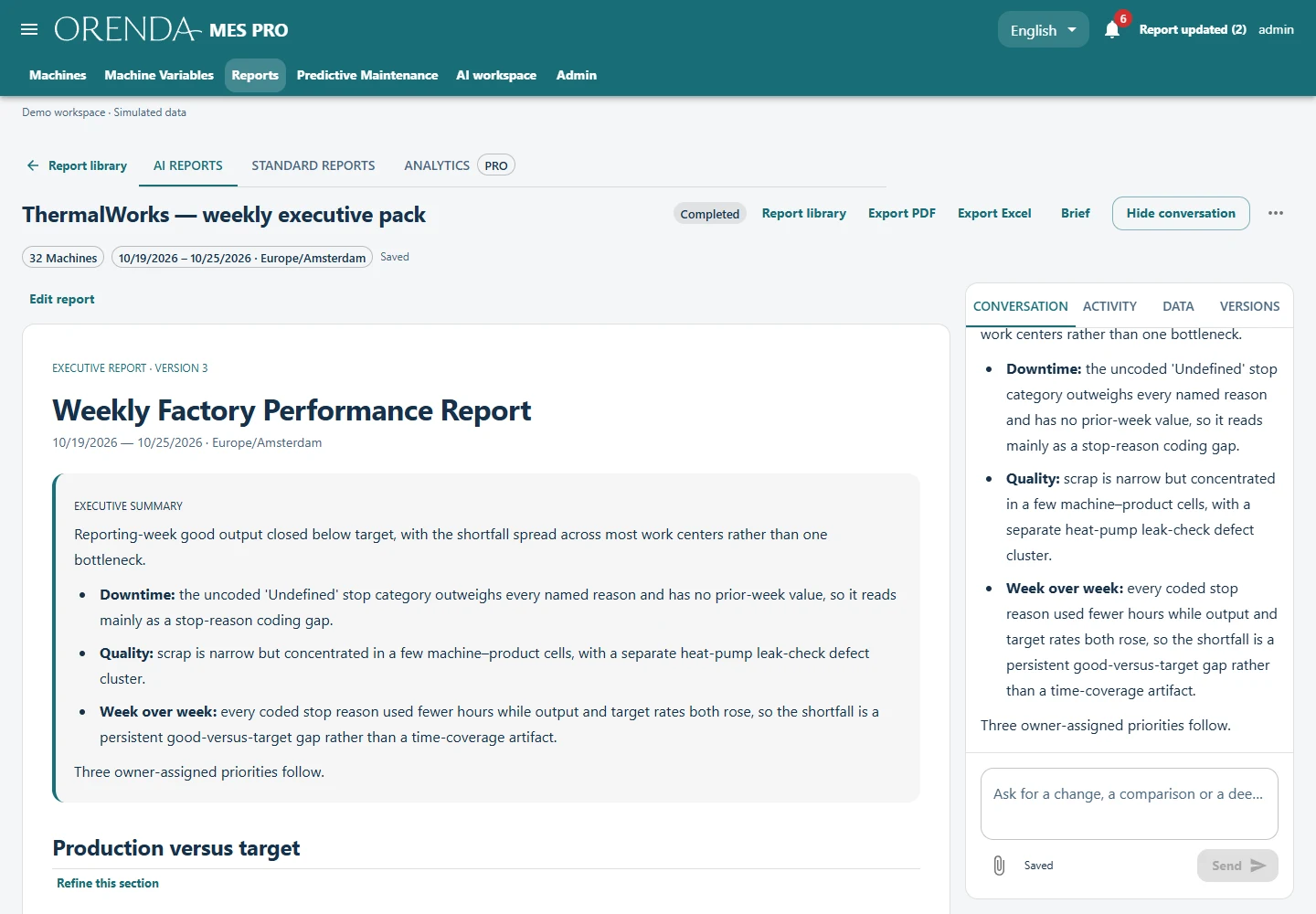
Templates and configured daily or weekly schedules let the team repeat useful questions. Saved versions and follow-up discussion keep the review connected to its original scope. Export PDF for sharing or Excel for further numerical review.
Check the sources before sharing. A missing downtime reason remains missing information. The report can make that gap visible so the next review has a better production record to work from.
Ask a specific question and select the reporting period.
Confirm the machines, records and documents to include.
Review the figures, source evidence and any missing data.
Save the report, export it and agree the follow-up.
AI Reports uses the MES reporting workspace and Orenda AI Agent. Access follows approved source permissions. Local records and document processing support the work; hosted model interpretation uses the configured service and usage allowances. External ERP or database sources need a separately confirmed integration.
A dashboard lets you watch recurring measures. A report answers a selected question over a defined period and retains the supporting evidence for review and sharing.
The reporting workspace supports PDF and Excel exports. Review the figures, units, time period and selected sources before sharing the result.
No. Missing counts, downtime reasons or time coverage remain data gaps. The next useful action is to improve the record or narrow the question.
We’ll use a sample reporting task to review the sources, output and follow-up your team needs.
Plan an AI Reports demo