To retrofit remote diagnostics on an installed industrial machine, start with the exact machine and diagnostic question. Verify cabinet space, power, environment, network policy, controller interface, protocol, available data, and target application before selecting hardware. Add only the required edge and access resources, keep PLC and safety control local, test observation before higher-consequence work, document recovery, and give the customer an owned support procedure.
This is a retrofit project, not a universal connector. Machines that share a model name may have different controller generations, firmware, drawings, customer networks, software revisions, and site restrictions. Prove the design on a representative machine and record the variants it actually covers.
What does a remote diagnostics retrofit add?
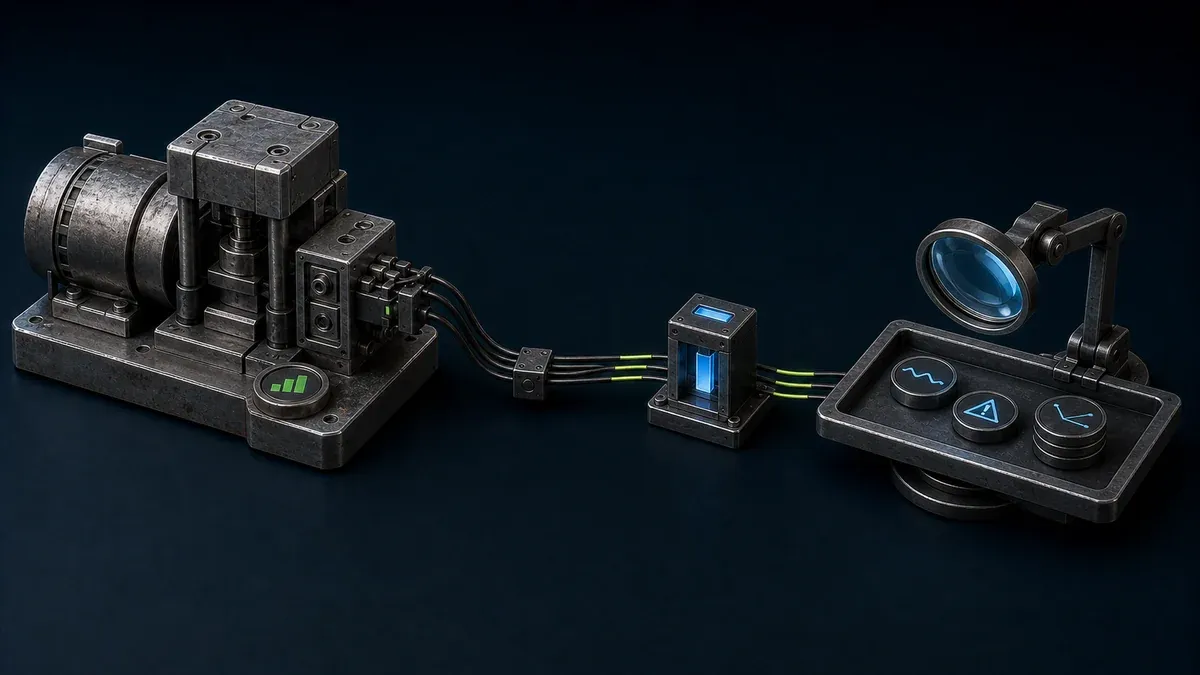
A remote diagnostics retrofit creates a governed way to observe selected machine information or reach an approved service resource after delivery. Depending on the use case, that may mean collecting selected tags, viewing an HMI or dashboard, reading application logs, or opening a defined engineering resource for an authorized support task.
It should not silently turn an edge device into the machine controller. Monitoring, resource access, and process control have different consequences. The PLC and local safety system remain authoritative unless a separate machine-specific design and validation explicitly changes that boundary.
The NIST Guide to OT Security emphasizes that OT has performance, reliability, and safety requirements that differ from conventional IT. A useful retrofit therefore preserves local operation and recovery when the edge device, internet path, or remote service is unavailable.
Which problem should the retrofit solve?
Write the first use case as a question an engineer needs to answer. Examples include: Is the machine stopped because a guard circuit is open? Which alarm occurred before the trip? Is a temperature or pressure drifting? Is the HMI application healthy? Does a service engineer need a customer-approved path to one workstation?
Then identify the smallest evidence set that answers it. A handful of status, alarm, count, mode, and quality signals may be more useful than an unstructured copy of every controller tag. If an HMI already contains the required context, approved access to that resource may be more appropriate than building a second visualization.
What machine data should remote diagnostics collect?
Start from diagnostic questions, then map each question to the minimum evidence. NIST AMS 300-11 recommends defining the manufacturing-data use case and its requirements before selecting sources and infrastructure. Connectivity by itself does not make an unstructured tag dump useful.
| Data group | Minimum useful context | Example diagnostic question |
|---|---|---|
| Machine identity | Stable machine, model, serial number, project, and as-built revision | Am I looking at the correct delivered machine and configuration? |
| Software context | PLC, HMI, edge-app, recipe, and parameter-set versions where available and authorized | Did the behavior change after a software, recipe, or parameter revision? |
| State and mode | Running, stopped, faulted, manual, automatic, setup, disconnected, timestamp, and state quality | Was the machine producing, waiting, faulted, or simply unreachable? |
| Alarms and events | Code, source, start, clear, acknowledgement, severity, and surrounding state | Which event occurred before the stop, and did it clear? |
| Production context | Order or product, cycle state, counts, good or reject result, and relevant downtime classification | Is the issue limited to one product, job, or cycle phase? |
| Process or condition values | Only measurements tied to an explicit service decision, with units and limits | Was temperature, pressure, current, vibration, or another approved value abnormal before the event? |
| Data quality | Source, unit, scaling, sample or event rule, timestamp, freshness, connection state, and bad or unknown status | Can the engineer trust the value and compare it with the right time window? |
Not every machine exposes every field, and not every field should be collected. Product versions, process values, quality results, and customer production context may be sensitive or unavailable. Record the business owner, permitted purpose, retention, access, and deletion rule for each data group. Keep an explicit unknown or disconnected state so missing communication is not silently reported as running or stopped.
What must a site survey verify?
Use drawings and project records as a starting point, then verify the installed condition.
| Survey area | Questions to answer | Evidence to retain |
|---|---|---|
| Machine identity | Which serial number, project, model, and as-built revision is present? | Nameplate, stable machine ID, drawing and software references |
| Cabinet and environment | Is there DIN-rail or panel space? What are temperature, humidity, vibration, contamination, and enclosure constraints? | Photographs, measurements, ratings, mounting decision |
| Power | Which approved supply is available? What protection, isolation, grounding, and shutdown behavior are required? | Circuit reference, load allowance, protection and recovery test |
| Network | Who owns the network? Which physical link, address policy, DNS, time, egress, segmentation, and change process apply? | Approved network plan and responsible customer contact |
| Controller and protocol | What controller, firmware, interface, and protocol are actually enabled? Is another client or license required? | Tested compatibility and known limitations |
| Data | Which tags, registers, events, logs, units, states, and quality indicators exist? | Versioned data map with source and meaning |
| Application | Is the target a dashboard, HMI, service app, engineering workstation, or data workflow? | Exact resource, owner, permissions, and acceptance test |
| Operations | When may testing occur? Who can place the machine in a safe state and stop the work? | Work window, local coordinator, stop conditions, recovery owner |
The CISA-led OT asset inventory guidance provides a useful reason to retain identity and relationship data: a trustworthy inventory supports risk and operational decisions. An OEM’s service record and the customer’s security inventory may have different owners, but they should agree on the machine and connected components.
How should machine builders handle controller and protocol variation?
Build a compatibility matrix from tested evidence. Record the controller family and firmware, communication module, physical medium, protocol settings, address or tag model, authentication requirements, expected polling behavior, and test result. Include the machine software revision and customer-network constraints.
Do not advertise universal PLC or OPC UA compatibility. A controller may support a protocol in one firmware or hardware combination but not another. A protocol may be available yet unsuitable because required variables are missing, names changed, data quality is unclear, or the site will not permit the connection.
For Orenda specifically, validate the required driver and machine data on the representative system. Current shipped drivers cover particular Panasonic Modbus TCP, Delta Modbus TCP or RTU, Siemens S7, and simulator scenarios; that is not a promise that every controller or program in those families will work without engineering. If the required interface is outside the validated set, retain a local workflow or design and test an appropriate integration before sale.
How do monitoring, access, and control differ in a retrofit?
Use three separate decisions:
- Monitoring collects or presents selected information. It may be read-only, but poor polling, incorrect addresses, or misleading data still create operational risk.
- Resource access lets an approved user open a defined HMI, web application, workstation, or other service target. The identity, target, duration, and customer procedure matter.
- Control can alter machine behavior, configuration, or process state. It requires separate authorization, safety, change-control, testing, and local coordination.
The detailed guide to remote monitoring, remote access, and remote control helps teams classify a support task. Do not call a path “diagnostic only” if it also exposes controls or engineering functions.
What retrofit architecture keeps the boundary clear?
A practical design usually has four explicit layers:
- the existing machine layer, including PLC, HMI, safety components, and local operating procedure
- a validated data interface that exposes only the information needed for the use case
- an edge layer that collects or presents that data and can be lost without taking away local machine control
- a support path that exposes specific approved resources to authorized users under the customer and OEM procedure
Document each trust boundary, owner, data flow, inbound or outbound dependency, and failure behavior. Avoid broad network reach merely because it is convenient during installation. The ISA/IEC 62443 series overview is useful context for shared responsibility across asset owners, product suppliers, integrators, and service providers. The machine builder should state what it supplies; the customer should state what its site permits and operates.
What should the pilot test?
Test the retrofit in increasing order of consequence. Keep an authorized local coordinator at the machine whenever the activity or customer procedure requires one.
Before connection
- Confirm machine identity, current drawings, controller program, and approved work window.
- Back up recoverable configuration through the established engineering process.
- Record normal machine behavior and local recovery steps.
- Confirm the customer authorizes the target resource, people, network change, and test.
- Define conditions that stop the pilot.
During technical validation
- Verify power-up and shutdown without affecting the machine’s normal control sequence.
- Confirm the expected network path and that unapproved resources are not exposed.
- Compare selected values with the local HMI or engineering reference, including units and state definitions.
- Test stale, disconnected, bad-quality, and restarted data states instead of showing old values as current.
- Check polling and edge load under representative operation.
- Prove the named support user can reach only the required resource.
During failure tests
- Remove internet connectivity and confirm local operation continues.
- Stop or reboot the edge service and confirm the PLC and safety functions remain local.
- Remove power from the retrofit device and verify a predictable recovery.
- Exercise the documented customer and OEM escalation route.
- Revoke test access and confirm it no longer opens the resource.
The pilot passes only when the recorded acceptance criteria pass. A successful login does not prove data correctness, machine independence, recovery, documentation, or a workable service process.
How should access be governed after handover?
Decide who needs routine observation, who needs occasional troubleshooting, and which work requires a customer-coordinated maintenance window. Give each role the narrowest resource necessary. The customer remains responsible for approval, production authorization, safety, and site change control; a connectivity tool does not replace those processes.
Orenda Connect can let named organization users open approved resources. An Orenda vendor link is a target-scoped bearer link that can be revoked and may optionally be configured to expire. Because a bearer link does not prove the identity of each individual who receives or uses it, teams that need per-human evidence should use their own identity, authorization, and evidence controls and decide whether that access method fits the task.
The joint Guide to Securing Remote Access Software can inform the wider program. It does not remove the need to evaluate the exact product, deployment, identity process, site architecture, and operational consequences.
What belongs in the customer handover pack?
Give the customer enough information to own the deployed system:
- stable machine and retrofit-device identity
- as-installed cabinet, power, and network drawings
- exact controller interface, protocol, tag map, units, states, and tested revisions
- named local and remote support owners
- approved resources and access-review procedure
- backup, restart, isolation, and local recovery instructions
- known limitations and untested variants
- acceptance results and next review date
- process for controller, application, network, or ownership changes
Link this pack to the installed base record. A controller upgrade, customer relocation, network redesign, or program change can invalidate the original evidence, so define which events trigger revalidation.
How does Orenda fit, and what does it not do?
An Orenda Box can provide an edge application environment and a configured path to machine data or approved resources when the actual site and protocol are supported. It is onboarded and configured per Box and per customer context. Resource-level access is organized within a project; it is not a universal tunnel to every machine resource.
Orenda does not currently provide centralized fleet health, reusable deployment templates, or bulk update administration across a machine builder’s installed base. It is not a CRM, FSM, CMMS, product-lifecycle system, machinery-safety control, customer approval workflow, or comprehensive per-person activity record. Those limits should be visible in the service design.
Use the machine builders solution as an overview, then run a representative technical pilot. Do not promise savings, travel reduction, downtime reduction, compatibility, or compliance before measuring the actual operating result.
What is the final retrofit checklist?
- Name the machine, symptom, user, resource, and acceptance criterion.
- Verify cabinet, power, environment, network, controller, protocol, data, and application.
- Classify every function as monitoring, access, or control.
- Keep PLC and safety authority local and document failure behavior.
- Configure only the required resources and roles.
- Pilot on a representative machine and test degraded states and recovery.
- Record the proven technical variants and explicit exceptions.
- Hand over ownership, evidence, access review, recovery, and revalidation triggers.
A good retrofit is deliberately modest. It answers useful service questions, reaches only approved resources, survives failure without taking the machine with it, and leaves both OEM and customer with a support process they can operate.