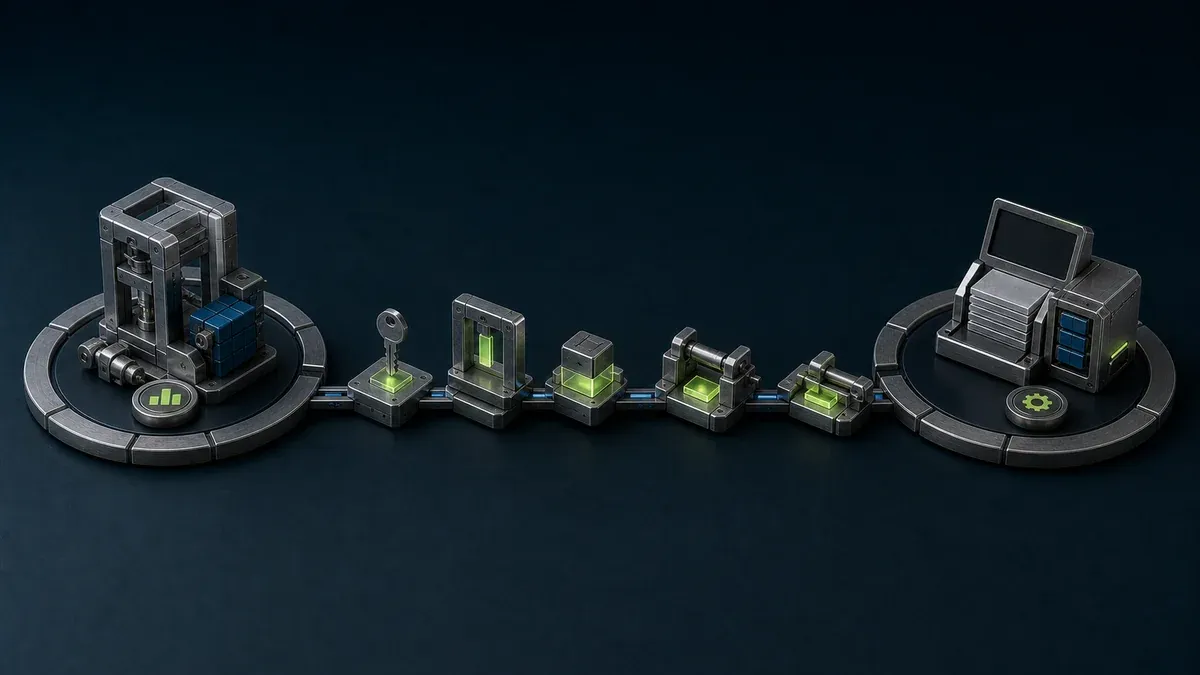
A remote machine commissioning checklist should turn the work into a controlled package with named people, a defined machine state, tested communications, recoverable backups, an ordered test sequence, and explicit acceptance. The OEM can bring product knowledge and execute agreed technical tasks, but the customer remains responsible for site authorization and the authorized local person remains essential wherever physical inspection, safe isolation, or direct observation is required.
Remote commissioning is not simply a video call plus remote desktop. It is a way to perform suitable parts of startup and acceptance while preserving the same safety, change, and evidence disciplines that would apply if the OEM engineer were standing beside the machine.
What counts as remote machine commissioning?
Remote machine commissioning is the use of communications, diagnostics, engineering tools, and local personnel to verify or configure a machine when one or more OEM specialists are off site. It can include checking PLC and HMI versions, reviewing I/O status, loading an authorized configuration, tuning non-safety parameters, testing data collection, or supporting a local operator through an agreed sequence.
It does not make every commissioning task suitable for remote work. Mechanical completion, field wiring, protective bonding, guarding, safety functions, energy isolation, rotation checks, process hazards, and tests requiring physical measurement still need competent people and procedures at the machine. IEC 60204-1 covers electrical equipment of machines, while ISO 12100 describes machinery risk assessment across relevant lifecycle phases. The applicable machine-specific standards and local law must be identified by the responsible parties.
Who owns each commissioning decision?
Agree the responsibility matrix before scheduling the session. A small project may combine roles, but it should not leave authority ambiguous.
| Decision or task | OEM or machine builder | Customer asset owner / IT-OT | Authorized person at the machine |
|---|---|---|---|
| Define intended commissioning work | Proposes tests, tools, versions, prerequisites, and expected results | Accepts scope, timing, and site conditions | Confirms the physical work can be supported locally |
| Approve remote connectivity | Specifies the minimum targets and protocols needed | Approves identities, resources, network placement, and duration | Verifies the expected equipment is connected |
| Authorize a process-affecting change | Explains change, risk, validation, and rollback | Uses the customer’s change and production procedure | Confirms machine state and permission to proceed |
| Perform engineering work | Named engineer uses the approved project and toolchain | Monitors or supports the access path as agreed | Observes local behavior and stops the test if required |
| Validate safety-related behavior | Supplies design information and test instructions | Ensures competent safety validation is arranged | Performs or witnesses required local checks |
| Accept and hand over | Delivers baseline, open issues, and service requirements | Accepts results and assigns operating owners | Confirms local controls, documents, and recovery are usable |
Connectivity is not authorization. A login that can technically reach a PLC does not authorize a download, force, firmware update, or machine movement. Keep the approval in the customer’s normal maintenance or change system and refer to its identifier in the commissioning record.
Remote machine commissioning checklist at a glance
Use gates so a missing prerequisite stops the sequence before it becomes a production problem.
| Gate | Confirm before proceeding | Evidence to retain |
|---|---|---|
| 1. Scope and eligibility | Exact machine, serial or asset ID, permitted tasks, excluded tasks, applicable site rules, local presence needs | Approved work package and responsibility matrix |
| 2. Technical baseline | Hardware, PLC/HMI/drive versions, engineering software, license, machine project, network diagram, time source | Version list, drawings, and known-good project hash or controlled copy |
| 3. Site readiness | Mechanical and electrical prerequisites, utilities, safeguarding status, local communications, safe test state | Local readiness sign-off and unresolved-items list |
| 4. Access readiness | Named users, managed endpoints, exact resource paths, required protocols, access duration, revocation method | Access test result and owner |
| 5. Recovery readiness | Current backups, restore method, local stop, rollback decision, outage response | Backup location and witnessed recovery briefing |
| 6. Controlled execution | Local coordinator online, machine identity reconfirmed, test order approved, stop conditions understood | Timestamped test and change record |
| 7. Acceptance and handover | Results accepted, deviations assigned, training complete, baseline stored, post-handover access decided | Signed acceptance or punch list and service handover |
Do not treat the table as a substitute for the OEM’s machine-specific commissioning plan. A robot cell, process skid, packaging machine, and safety-related lifting system will require different competent persons and tests.
What should be completed before shipment or site arrival?
Design remote service readiness while the machine is still under the OEM’s control. Record which functions can be observed and which can change machine behavior. Decide whether the remote engineer will access a published application, a managed engineering workstation, or a narrowly constrained device service. Avoid making the entire machine subnet the unit of access when one resource will do.
Prepare a controlled software baseline containing:
- PLC, safety-controller, HMI, drive, robot, vision, and edge-application versions
- the approved controller project and required engineering software
- device addresses, names, certificates, and time configuration
- the list of required remote flows, including any dynamic-port or discovery behavior
- backups and a tested restore procedure appropriate to each component
- acceptance criteria for observation, dry tests, manual movement, automatic sequence, alarms, and data exchange
ISO/TR 22100-4 specifically connects machinery safety with cybersecurity considerations when machinery is first placed on the market or put into service. Use that relationship to ask whether a compromised remote function could influence a safety-related outcome; do not assume cybersecurity and machinery-safety reviews are interchangeable.
What must the customer site verify before connection?
The customer should approve the support architecture and confirm where the site-side gateway, workstation, or application sits relative to the control system. Identify every boundary crossed and permit only the user-to-resource and resource-to-machine flows required for the commissioning job.
Before the live session, run a connectivity rehearsal that cannot move equipment. Verify identity, multifactor authentication where required, target selection, name resolution, latency, reconnect behavior, file-transfer policy, and access removal. Confirm that the same identity cannot reach an adjacent controller or application outside the work package.
The NIST Guide to OT Security emphasizes that OT controls must account for performance, reliability, and safety. Test what happens when internet connectivity, DNS, an identity service, the site gateway, the remote client, or the engineer’s session fails. Local control should remain authoritative, and losing the remote session should not become an uncontrolled machine command.
For a detailed support-path design, use the secure remote PLC and HMI architecture guide. If the customer site uses carrier NAT or has no usable public address, review the options for industrial access behind NAT before the commissioning window.
How should the live commissioning session run?
Begin every session with a short verbal and written alignment:
- State the machine identity, current operating mode, active energy sources, and people present.
- Confirm the approved work-package or ticket reference and the permitted tasks.
- Name the OEM engineer who will control the remote engineering session.
- Name the local coordinator who can observe conditions and stop work.
- Reconfirm the communications channel, loss-of-contact action, and stop conditions.
- Check that the current backup is accessible and the rollback decision is understood.
Then test from lower to higher consequence. A useful order is: connect and observe; verify versions and diagnostics; test read-only data; prove alarms and timestamps; transfer an approved file; perform a non-motion configuration change; test manual functions under local control; and only then execute the approved automatic sequence. Safety-function validation follows the machine’s safety plan and must involve the required competent local people.
Pause after every change with a different consequence. Record what changed, the previous value or version, the observed result, and whether the baseline should be updated. Do not bundle an unplanned “small improvement” into the session merely because remote access is already active.
How should remote PLC and HMI changes be controlled?
Use a separate privileged path for downloads, firmware updates, force commands, safety-controller work, or changes that can affect motion and process state. Observation access should not silently inherit those privileges.
For each process-affecting change, capture:
- target controller or HMI and current version
- approved new project, parameter, or package
- reason and expected behavior
- backup and restore point
- local machine state and prerequisites
- who authorizes, executes, witnesses, and accepts
- validation steps and rollback trigger
Threat actors can misuse legitimate remote administration tools, as described in the joint Guide to Securing Remote Access Software. Inventory the tools installed for commissioning and remove unapproved or redundant agents. A controlled gateway does not compensate for an old unattended remote-control tool left on an HMI.
What belongs in the commissioning evidence package?
The handover package should be usable without reconstructing the project from chat messages. Include the final software and configuration baseline, acceptance results, unresolved punch-list items, test records, network and data-flow diagrams, account and certificate owners, backup and restore instructions, update responsibilities, and the post-handover support path.
Record deviations honestly. “Accepted with open items” is more actionable than a green checklist that hides a postponed test. State which results were witnessed locally, which were observed remotely, and which were not performed.
Agree what happens to access after acceptance. Options include removal, reduction to a diagnostic application, revocable support access with optional expiry, or standing access under a named service owner and review cadence. Do not leave commissioning credentials or shared accounts as the service model.
What are the limits of remote commissioning?
Remote commissioning is not appropriate where direct observation is essential, the machine has no competent local support, communications loss creates unacceptable consequence, or applicable rules require on-site inspection or testing. It may also be unsuitable for unsupported legacy devices, recovery operations that need local media, or safety-related changes that the responsible organization does not permit remotely.
The checklist does not prove machine conformity, functional safety, IEC 62443 alignment, or legal compliance. Standards and regulations vary by machine type and market. The OEM and customer must identify the current requirements that apply to the actual installation and use qualified specialists where necessary.
Where can Orenda support the workflow?
Orenda Connect can be evaluated for reaching approved resources used during commissioning, while Orenda Box can host local applications and selected machine-data connections near the equipment. The machine-builder solution is intended to support a repeatable customer-site setup. The installed machine base remote service page explains how teams can document and reuse that pattern across individual customer projects and boxes while validating every site separately.
Orenda provides a connectivity and local-app layer; it does not replace customer approval, machinery-safety validation, lockout procedures, PLC backups, change control, a ticketing system, or a competent local coordinator. The PLC remains the control authority. Pilot the exact protocols, resource scope, outage behavior, access removal, and evidence requirements before making the setup part of a standard machine delivery.