Vendor access in OT is one of those problems that nearly every industrial team has, but very few feel fully comfortable with.
Vendors need to troubleshoot machines, apply updates, support commissioning, and help during downtime. At the same time, plants need control. They need to know who is connecting, why they are connecting, what they can reach, and when that access ends.
If those answers are not clear, vendor access slowly turns into standing risk.
CISA’s guidance for configuring and managing remote access in industrial control systems treats remote access as a managed lifecycle rather than a one-time connectivity change. The organization still needs a process for business justification, target scope, supervision where required, review, and removal.
This article shows a practical workflow for managing vendor access in industrial and operational environments without creating unnecessary friction for maintenance or support teams.
What this article covers
- why vendor access gets messy over time
- the approval and revocation workflow that works best in practice
- how to separate internal access from third-party access
- what to review every month
- how to make audits easier without building a heavy process
Why vendor access drifts out of control
Vendor access usually starts with a valid business need:
- a machine builder supports a new installation
- a controls supplier needs to troubleshoot a fault
- an integrator helps with tuning or updates
- a specialist provides remote diagnostics
The problem is that temporary access often becomes permanent by accident.
Common reasons include:
- no named owner on the customer side
- the same credentials reused across tasks
- broad access granted to save time
- no formal end date
- manual cleanup that depends on memory
Once this pattern repeats across multiple vendors and sites, the business loses visibility. Audits become slow, approvals become informal, and security teams stop trusting the real access picture.
A cleaner OT vendor access model
The most practical model has five stages:
- request
- approve
- connect
- monitor or supervise
- revoke or review
The key is that each stage should answer one simple question.
Request: why is access needed?
Every vendor request should state:
- the business reason
- the site
- the machine, line, or system involved
- the requested timing
- the expected duration
- the internal owner
This does not need to be complicated. Even a short structured request is enough if it captures the real scope.
Approve: who is accountable?
Approval should come from the person closest to the operational risk. That may be:
- a maintenance lead
- an automation manager
- a plant manager
- a project owner
The right approver is not always the most senior person. It is the person who understands whether the access is operationally justified.
Connect: what exactly can they reach?
This is where many teams go wrong. Access should not mean “the vendor can enter the site network.”
It should mean:
- the vendor can reach this target
- for this task
- during this window
- with this level of permission
Narrow scope is what makes vendor access manageable.
Monitor or supervise: is the session expected?
In higher-risk environments, it helps to require awareness on the plant side when a remote session starts. Some teams also require a local contact to be available during the session.
This step matters because the safest access model is not only technically restricted. It is also operationally visible.
Expire, revoke, or renew: what happens at the review point?
At the review point, make an explicit decision:
- let access end automatically after the task window if an expiry was configured
- revoke it when the task is complete or no longer justified
- renew or retain it only when the business need remains current and owned
If your process has no natural revocation point, it will collect stale access over time.
The best default: temporary vendor access
For most vendors, temporary access should be the default. That is often called just-in-time access, but in practice it simply means access exists when needed and disappears when it is not.
Benefits include:
- smaller attack surface
- fewer stale permissions
- easier reviews
- cleaner separation between support events
- better confidence during audits
Permanent access should be rare and tied to a strong business reason.
Policy rules that make audits easier
A workable vendor access policy usually includes these rules:
Rule 1: Use named identities when individual accountability is required
Each vendor user or approved vendor group should be distinguishable when the organization needs to attribute activity to a person. A shared account or bearer link cannot provide that evidence on its own; use named user or group access, or a separate identity-aware process, when individual accountability is mandatory.
Rule 2: Scope to asset or service
Define access around the actual machine, application, or service being supported.
Rule 3: Tie access to an internal owner
If no one on the customer side owns the access, it should not stay active.
Rule 4: Review regularly
A short monthly or quarterly review catches most issues before they become major cleanup projects.
Rule 5: Remove after project milestones
Commissioning, warranty transitions, site acceptance, and maintenance completion are all natural times to revoke access.
Monthly review checklist for vendor access
Use this during a recurring access review:
- Which vendors still have active access?
- Does each access entry have a current owner?
- Is the scope still correct?
- Has the vendor used the access recently?
- Is any temporary access still active past its purpose?
- Did any site create one-off exceptions that should be cleaned up?
This review does not need to be long. The main goal is to remove access that no longer has a live operational reason.
Multi-site OT teams need one standard
The challenge gets harder when the company operates multiple plants. One site may approve vendor access through maintenance, another through IT, and another through informal emails.
That inconsistency creates three problems:
- vendors get different access levels across sites
- central teams cannot compare risk cleanly
- audits become a site-by-site detective exercise
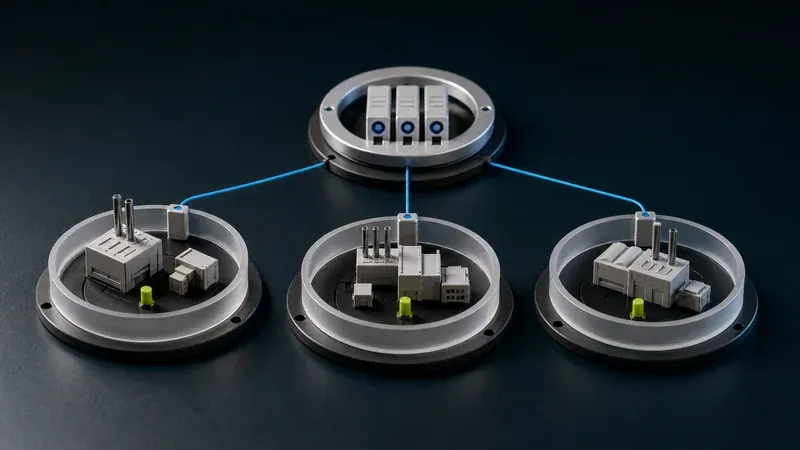
A common request and approval model across sites is usually more valuable than adding more technical controls alone.
Where Orenda can help
The hard part of vendor access is not just getting a connection live. It is keeping the organization’s requests and approvals aligned with technical scope and revocation when vendors, plants, and maintenance events operate on different timelines.
Orenda provides target-scoped vendor links that authorized organization users can create and revoke, with an optional expiry. It does not replace the organization’s approval process, and a shared link does not by itself prove which individual used it. Those boundaries matter when a team designs its operating procedure or evidence requirements.
If you are trying to tighten third-party access without slowing support, see the Vendor access solution. If you are aligning multiple plants at the same time, the Multi-site access solution is the next page to review.
If you want to tighten this process
If audits are painful because vendor access is approved informally or cleaned up too late, this is usually a sign the workflow needs to be standardized. Start with the Vendor access solution, then review Pricing for a pilot or phased production rollout.
Final takeaway
Good vendor access in OT is not about blocking support. It is about making access specific, optionally expiring when appropriate, revocable, and clearly owned from request to removal.
When plants adopt a repeatable workflow, the relationship between approval, target scope, and cleanup becomes easier to review.
The useful standard is not a perfect policy document. It is a process people actually follow, supported by evidence appropriate to the site’s risk and audit requirements.